
How Can We Help?
How to Archive Mail with Outlook on an Apple Mac
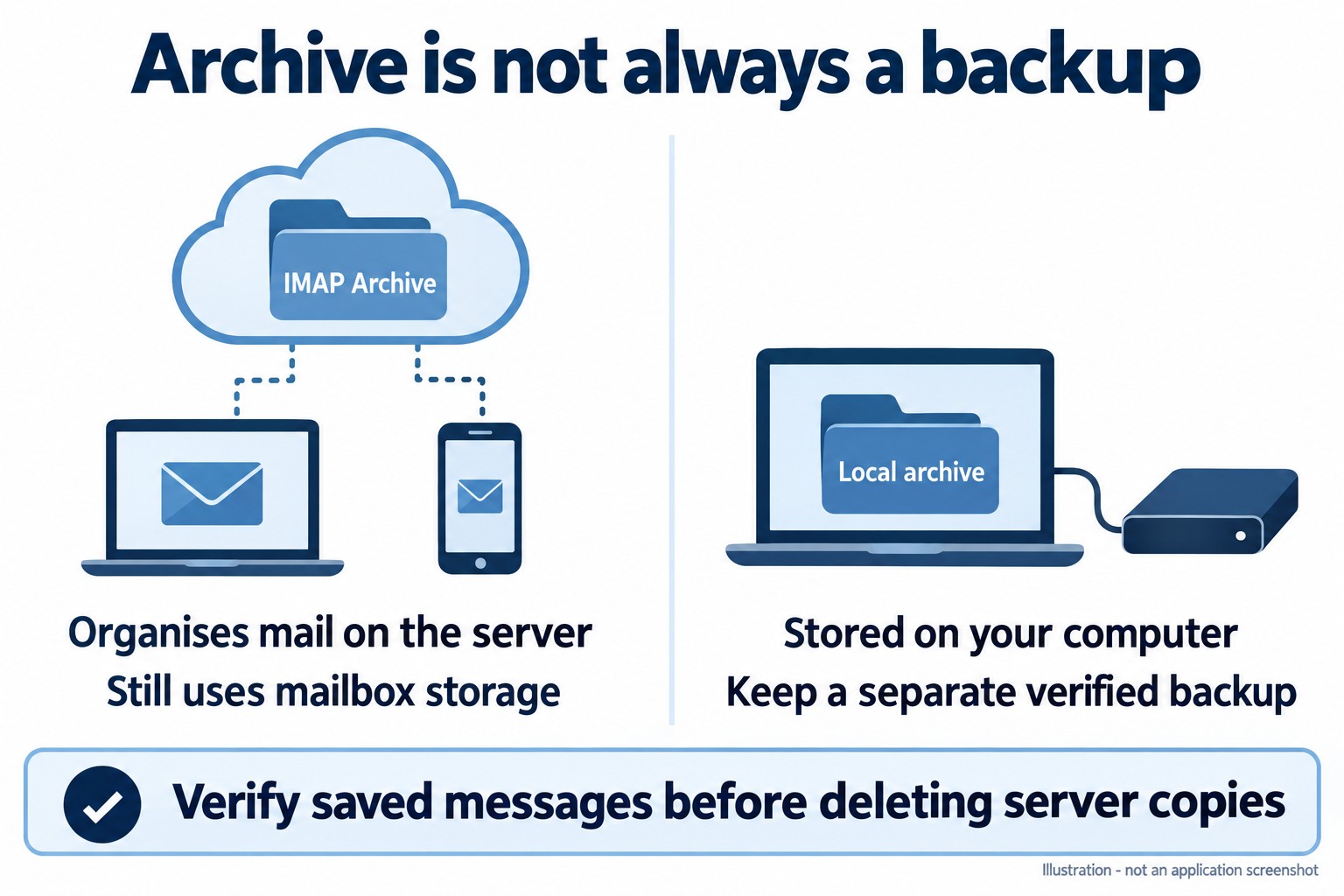
Outlook for Mac offers an Archive action for organising mail. If your purpose is to free space in a Rhino-hosted IMAP mailbox, first establish whether the destination is on the server or stored locally on your Mac.
Organise mail with Archive
- Select the messages you want to move.
- Choose Archive on the ribbon. If prompted, choose or create the archive destination for that account.
- Open the destination folder to confirm the messages are present. Move a message back to Inbox if it was archived by mistake.
A server-based IMAP Archive folder continues to use mailbox storage. A feature called Online Archive for an Exchange/Microsoft 365 account is not automatically included with a Rhino IMAP mailbox.
Preserve mail locally
Microsoft’s current Outlook for Mac feature list includes On My Computer folders. Check that the destination is explicitly local rather than a similarly named folder below the IMAP account. Local mail is not automatically available in Webmail or on your phone.
- Confirm your installed Outlook version and its local-folder support before moving mail.
- Create a clearly named local archive in the On My Computer area using the folder controls available in your version.
- Copy a small set of messages first. Open them and their attachments from the local destination and verify the originals remain available.
- Establish and verify a separate backup of the local data before expanding the archive.
- Only after checking the complete archive and backup should you consider removing server copies to reclaim space.
Do not assume drag-and-drop always copies rather than moves. The result depends on the action and destination. Avoid bulk deletion or emptying Deleted Items until you have verified your saved data.
Legacy Outlook export
Microsoft documents Tools > Export to an .olm archive for legacy Outlook for Mac. That is a legacy-specific route, not a promise that every current Mac build provides it. Microsoft’s notice flags legacy support changes in October 2026. Do not switch versions or uninstall Outlook merely to find an Export button without protecting local data first.
Sources: Mac Archive instructions, current Mac feature list and legacy .olm export instructions.
Need assistance? Contact Rhino Hosting Support. Include the relevant error and application version, but never send your password.
Content reviewed: 29 September 2026. Application steps checked against the linked official documentation. Illustrations are explanatory; no live application setup or send/receive test is claimed.